 Hunter Watch
A place for the hunts you want to remember.
Bring the record home from Apple Watch and give it a place in your diary. Hunter Watch keeps the route, marked moments and photos together so you can revisit the day later.
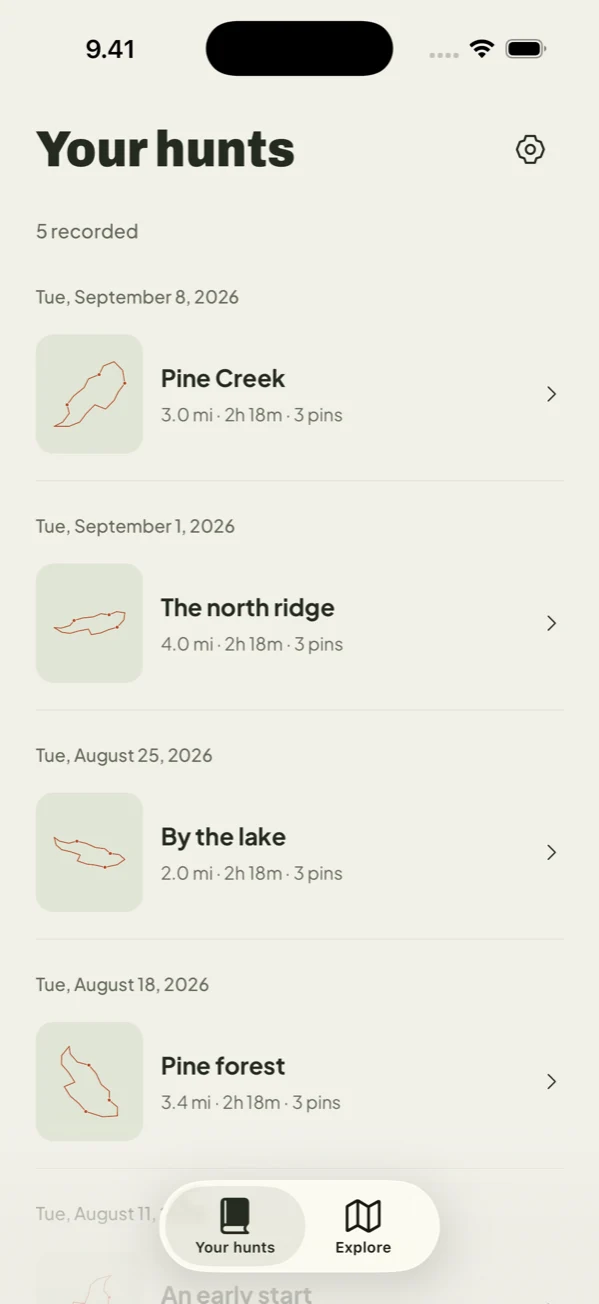
Build a record one hunt at a time
Saved hunts appear in your iPhone diary. Open a hunt to see its recorded route, time outside and available activity data. Edit its title so the entry means something to you when you return to it.
Keep photos with the right moment
Choose photos using the system photo picker and add them to a hunt or an individual moment. A landscape, fresh tracks or the day’s harvest can stay alongside the route that connects them.
Find past hunts on the map
Browse your hunting history on a map to put previous outings in context. Open a saved hunt to look more closely at its route and marked moments. These are your recorded outings, not suggested hunting locations or verified access areas.
Share the details you choose
Create a shareable image with a photo or map background. Select the recorded stats to include and choose the detail to highlight. Check the image before sharing: maps and photos can reveal sensitive locations to the people or services you send them to.
Know where the diary lives
Hunt records and imported photos are stored on your devices. Where available, cloud backup is optional and uses Sign in with Apple. It covers hunt data, not photos. Restoring a subscription does not restore a lost diary; use the separate cloud recovery feature if you previously enabled backup. A diary deletion leaves any separately saved Apple Health workout intact.

iPhone + Apple Watch · Paid subscription